

at your own pace, in your own style, and on your own time


Have you ever looked at a beautiful patterned fabric or notebook and thought, “Wait… someone designed that. Could I do that, too?!"
The answer is: YES
Whether you’re a total beginner or a curious creative ready to learn something new, Pattern Camp is here to help you bring your pattern design dreams to life – with clarity, confidence, and lots of fun.
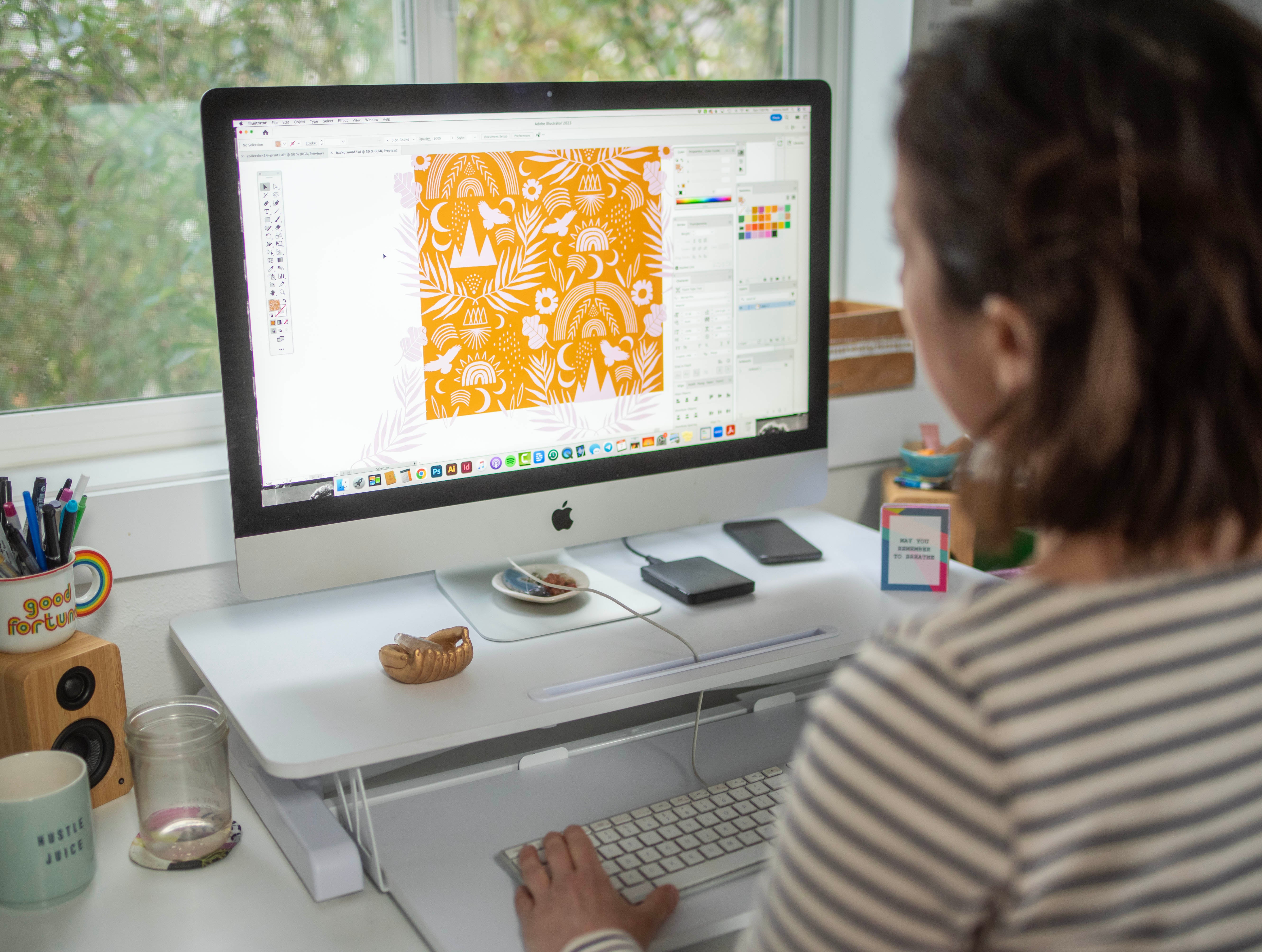
"I have a little experience with Illustrator, but it's been very difficult and slow learning. Jessica made this sooo easy to understand, and implement. She did such a good job of explaining the steps and why you are doing what you are doing." – Rachelle R


THE DETAILS!
What Pattern Camp Is
Pattern Camp is an online course that teaches you how to:
★ Use Adobe Illustrator (no experience required)
★ Design seamless repeat patterns from scratch
★ Build a creative habit and unlock your unique style
★ Create art that can live on fabric, wallpaper, stationery, and more
You’ll get lifetime access to the full course instantly when you enroll. Go as fast or slow as you like – this is a choose-your-own-adventure kind of experience!

THE DETAILS!
What's Included
Inside the course, you’ll get:
★ 28 Clear video lessons – Learn Illustrator step-by-step with ease. Yes, really!
★ Workflow tips + tricks – Real-world guidance from a working artist who's been using Illustrator, designing patterns, and working professionally for nearly 2 decades.
★ Access to the private Pattern Camp community — Ask questions, share work, get feedback from your pattern-loving peers!
★ Bonus training videos – Primer videos to help you get started in Illustrator and Procreate (for the iPad) before diving into the lessons.
Where does the course happen?
Pattern Camp is hosted inside my learning space on the amazing Circle platform.
The private community is hosted there, too (not on Facebook!).


Is Pattern Camp For Me?
This course is for you if:
You’ve always wanted to learn how to design patterns
You feel stuck creatively and need a spark
You’re ready to explore Illustrator with an encouraging guide
You want to turn your art into something functional and joyful

Tech stuff you need
All you need is:
★ A computer (Mac or PC)
All lessons are demonstrated on a Mac
★ Adobe Illustrator (any version from CS6 up through Creative Cloud)
All lessons are demonstrated in the Creative Cloud version of Illustrator for Mac
★ Internet access
★ Paper and a black pen or marker
Doesn't need to be fancy! A sketchbook, looseleaf paper, a Sharpie, a Crayola marker, a felt tip pen, a gel pen... they'll all work!
★ A desire to play and explore
★ optional: iPad and Apple Pencil with a drawing program like Procreate or Adobe Fresco
★ optional: Wacom tablet
A Wacom tablet will allow you to draw directly into Illustrator on your computer. There's a learning curve, but they're fun! Not necessary for success, though.
YOUR Investment
$197
You'll get:
★ 28 comprehensive video lessons
★ A private, community of fellow creatives for built-in accountability, support, and celebration
★ Instant lifetime access to all the lessons
★ Work at your own pace
★ Invite to future live sessions (upgrade available)
★ BONUS: Intro to Adobe Illustrator video
★ BONUS: Intro to Procreate for the iPad video
What Campers Say:
Frequently asked questions
How long will I have access to the course lessons?
You'll have ongoing + forever access to all the lessons and the private Pattern Camp community, so there's no time limit for re-watching the videos and practicing at your own pace! The lessons won't expire.
You'll have the opportunity to join in each upcoming live weekend session at a discounted alumni rate as well!
I've never used Illustrator. Will this course be too difficult for me?
When you sign up for the course, you'll have access to a video primer showing how the tools in Illustrator work. If you're completely new to Illustrator, you can practice and familiarize yourself with the program before the workshop begins.
There's a bit of a learning curve with Illustrator, but as with all things, the more you practice the better you'll get at using the program and the easier and more intuitive it'll become. AND, I'll explain everything I'm doing in each video, so you can follow along and learn as you go!
What supplies will I need?
- Your own computer (Mac preferred, as this is what I use in the video lessons, but PC will totally work, too)
- Adobe Illustrator (you can sign up for a free 7-day trial here). Please make sure the program is installed and ready to go on your computer before we begin.
- Reliable high-speed internet connection (for streaming video lessons live Zoom check-ins)
- Sketchbook or looseleaf paper
- Pen, pencil, and/or fine tip black marker
- Scanner or smartphone with a camera
- iPad Pro with a drawing app like Procreate or Fresco (optional)
- Wacom tablet (optional)
I don't have a Mac. I have a PC. Will that be a problem?
Nope, it definitely shouldn't be a problem. While the lessons are Mac-based, the Mac and PC versions of Illustrator are nearly identical, so it's easy to translate the lessons to your PC.
I don't live in the USA. Can I still take the course even though I won't be able to participate in the entire live weekend?
Yes! You'll have access to all the course material after the live weekend, so you'll be able to work through it all at your own pace. The lessons are a combination of video and written posts, so you won't miss anything vital if you're not there live. The Zoom Q+As will be recorded as well, so you'll be able to watch those when it's convenient and get insight into what others in the course had questions about. Don't worry if you live abroad – the course is absolutely still for you!
Will you be available to answer my technical questions during the course?
Yes! During every live course weekend I'm on hand and available via email and also live in our private community group for the full 2 weekend days of the course. We also have several live check-ins on Zoom where we can interact in real time and get everyone's questions answered.
I will happily answer questions outside of the live weekends as well, but my responses will not be immediate. The community is a great resource to tap into when you have questions as well!
Will you give me feedback or critique my work during the course?
I don't offer feedback or critique on students' work during or after the course. However, you're welcome and encouraged to share your work in the private Pattern Camp community and invite feedback from fellow classmates.
Can I get a refund if I sign up and realize I can't take the course, or I decide I just don't want to anymore?
There are no refunds offered, so please make sure you're committed and available before you sign up!


